
Documentation reviewed October 5, 2026. Menu labels can vary with your macOS version.
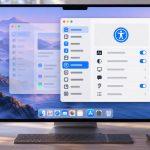
Stage Manager keeps the windows you are working with in the centre of the screen and puts recent apps or groups along the side. It is useful when a project needs several apps together. You can switch it off whenever a conventional desktop works better.
Turn Stage Manager on or off
Open System Settings → Desktop & Dock and find the Stage Manager controls. You can also use its control in Control Centre. Stage Manager requires macOS Ventura or later; the exact placement of controls varies between releases.
Enabling it does not close your other apps. Click a recent app or group at the side to bring it into the working area. If recent apps are hidden, move the pointer toward the left edge to reveal them.
Create one group for a project
Bring your main app into the centre, then drag another app’s window from the recent-app area into the centre. To remove a window from a group, drag it back toward the recent-app area.
A useful example is a writing group with Notes for your outline, Safari for references and your editor for the draft. A separate admin group could contain Mail and a Finder window. These are suggested arrangements; the right group is the one that reduces repeated window searching for your work.
Check the display options
The Stage Manager settings let you control whether recent apps appear and how windows from an application are shown. The All at Once and One at a Time choices affect how multiple windows from the same app are presented. Try both with an app that actually has two windows open.
Do not expect the side previews to behave like permanently pinned Dock items. They represent recent windows and groups, so the set changes as you work.
If Stage Manager is missing or unavailable
First check your macOS version. In Desktop & Dock, also check the Mission Control setting Displays have separate Spaces; Apple identifies this as necessary when Stage Manager is unavailable. Follow any sign-out prompt that macOS displays after changing it.
If your complaint is that a window has disappeared, check its group, the application’s Window menu and Mission Control before reopening documents. Stage Manager changes how windows are arranged; it is not a file recovery feature.
When to use another tool
For a quick overview, Mission Control may be enough. For screen-edge actions, try Hot Corners with a modifier key. For a task list shared between devices, use Reminders rather than treating a window arrangement as a record of unfinished work.