Name the job Pro would improve
Start with Air as the option to evaluate for mobile everyday work. Move to Pro when you can name a requirement that the Air configuration you are considering does not satisfy, or a repeated bottleneck that makes a more capable configuration worthwhile.
“I want a professional laptop” is less useful than “my projects need more memory,” “I need an HDR display” or “I import camera cards every working day.” Those statements give you something concrete to compare.
Four reasons to investigate Pro
Apple’s current Air configurations offer up to 32GB of unified memory. Pro configurations offer higher memory capacities, depending on the chip. If your software recommends more than Air provides, that is a clear reason to investigate Pro rather than hoping storage will compensate.
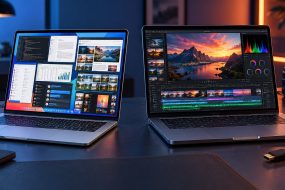
Pro also has a Liquid Retina XDR display with ProMotion, HDMI and an SDXC card slot. Air uses a Liquid Retina display, has two Thunderbolt 4 ports and supports up to two external displays. Pro’s display support varies by chip, so check the exact model rather than assuming every Pro behaves the same way.
These capabilities matter when they remove friction from work you actually do. An SD card slot can reduce adapter handling; an HDR display can be relevant to HDR production. Neither automatically makes email, spreadsheets or ordinary web browsing more useful.
| Your requirement | What to compare |
|---|---|
| Regularly handling large creative projects | App requirements, memory capacity and tests using comparable projects |
| Reviewing HDR content | Display capabilities and your actual delivery requirements |
| Importing camera cards or connecting HDMI frequently | Built-in connections versus the adapter setup you would use with Air |
| Working away from a desk most days | Size, weight and bag space alongside capability |
“Pro” is a family, not one configuration
The current lineup includes different chips and screen sizes. A base-chip Pro and a higher-chip Pro are separate purchase decisions. Read tests for the particular chip, memory and workload you are considering; a result from the top configuration is not evidence for every model carrying the same name.
If you already own a Mac, note where time disappears: waiting for exports, struggling with large files, reconnecting adapters or managing a crowded workspace. Measure a representative task before using it to justify an upgrade. We have not run comparative benchmarks for this guide.
Compare the price of solving the problem
Build two local quotes: the Air configuration with the accessories you need, and the Pro configuration that meets the same requirements. Decide whether the difference buys a benefit you will use repeatedly.
If Air meets your app, memory and display requirements, do not discard it because you sometimes edit a photo or video. If the requirement is beyond Air’s documented limits, investigate the appropriate Pro configuration. A useful upgrade should have a clear purpose beyond the label on the lid.
Sources: Apple: MacBook Air specifications; Apple: MacBook Pro specifications.